
Pollfish Questionnaire Answer Quotas: Balance Your Survey Responses More Precisely
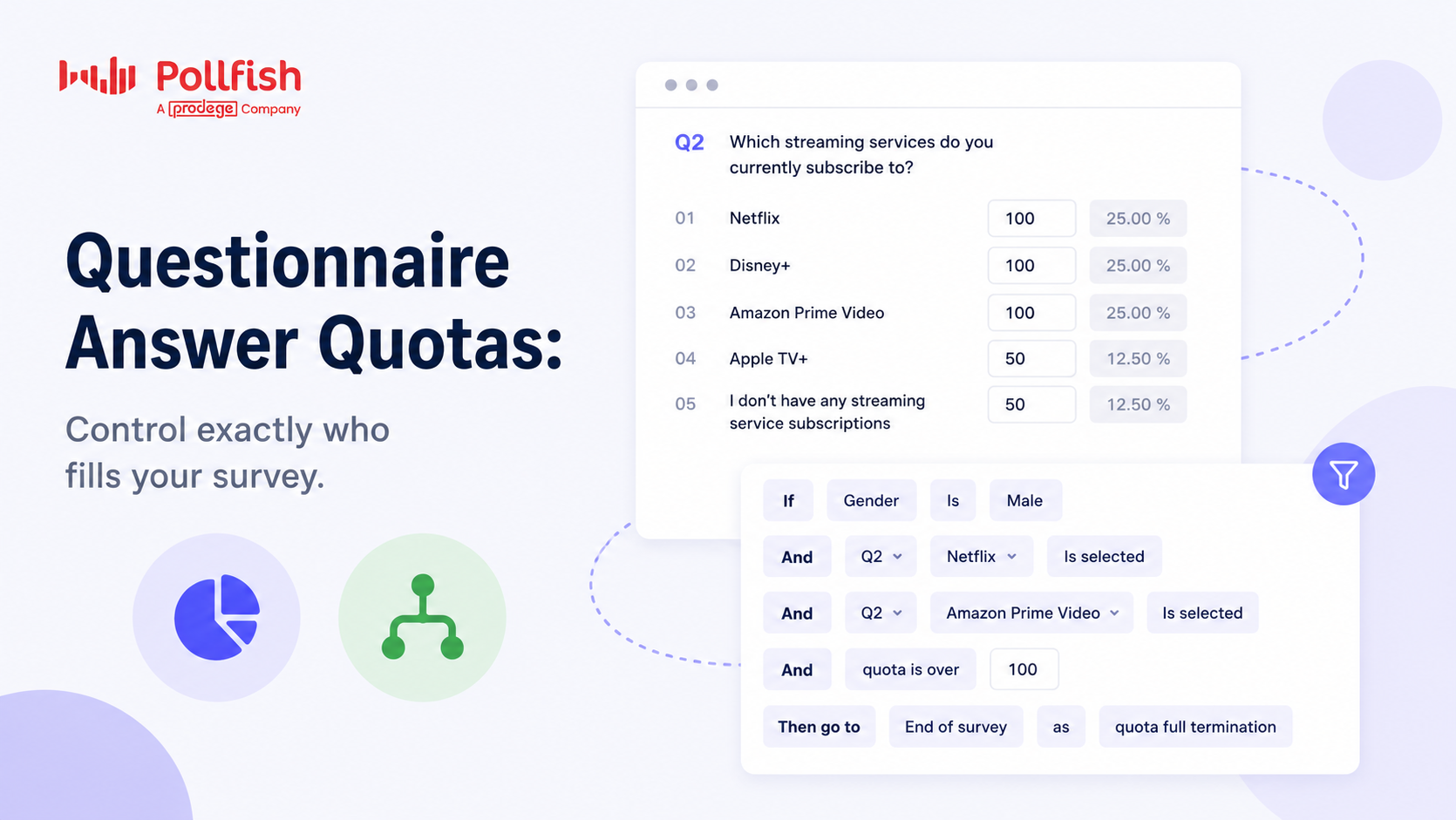 Getting the right number of responses is important. But in many research projects, getting the right mix of responses matters even more.
That’s where Questionnaire Answer Quotas in Pollfish come in.
Answer Quotas allow researchers to control how many respondents qualify based on specific survey answers. This helps you control audience composition, avoid overrepresentation, and ensure reliable research outcomes.
Whether you’re conducting customer research, product testing, concept evaluations, or market segmentation studies, Answer Quotas help you collect a more structured and representative sample.
Pollfish supports two approaches:
- Simple Answer Quotas for fast, straightforward response distributions
- Advanced Conditional Quotas for more sophisticated research logic
This guide explains how both work, when to use them, and how they can improve your survey quality.
What Are Questionnaire Answer Quotas?
Questionnaire Answer Quotas let you limit the number of respondents who qualify for your survey based on how they answer specific questions.
Once a quota is filled:
- Additional respondents matching that criteria are automatically disqualified
- The respondent receives an Answers Overquota participation outcome
This helps prevent certain response groups from dominating your dataset.
Why Use Answer Quotas?
Without quotas, survey results can become unbalanced.
For example:
- Too many respondents from one customer group
- Overrepresentation of heavy users
- Too many fans of one brand
- Not enough responses from competing audiences
- Uneven concept exposure
Answer Quotas help researchers:
- Balance samples
- Improve segmentation quality
- Control study composition
- Reduce skewed datasets
- Improve comparison analysis
Simple Answer Quotas
The Simple Answer Quota approach is designed for researchers who want an easy, familiar way to prevent overrepresentation.
It works similarly to standard survey quotas and audience targeting.
Researchers can simply:
- Open a supported question type
- Toggle Add Quota from the left hand sub-menu
- Enter the quotas for each answer

Example: Takeaway App Usage Research
Imagine you’re researching takeaway delivery habits.
You ask:
Which takeaway food app do you use most often?
- Uber Eats
- Deliveroo
- DoorDash
- Grubhub
- I don’t use takeaway apps
You may want:
- 100 Uber Eats users
- 100 Deliveroo users
- 100 DoorDash users
- 50 Grubhub users
- 50 non-users
Once the quota for Uber Eats reaches 100:
- Additional Uber Eats respondents are screened out as Answers Overquota
- Other groups can continue the survey
This helps prevent overrepresentation while ensuring you collect the right mix of respondents for your research goals.
Supported Question Types
Simple Answer Quotas currently support:
- Single selection
- Multiple selection
- Matrix single selection
- Matrix multiple selection
- Matrix bipolar
For more advanced logic requirements, researchers can use Conditional Quotas instead.
Advanced Conditional Quotas
Advanced Conditional Quotas are available for Enterprise accounts and are designed for researchers who need more sophisticated audience control and survey logic.
Conditional quota rules are configured directly within specific survey questions, allowing researchers to apply participation limits tied to question answers, demographics, and other survey conditions.
This is ideal for:
- Complex segmentation
- Advanced targeting
- Concept testing
- Multi-variable studies
The setup is similar to our advanced survey logic feature.
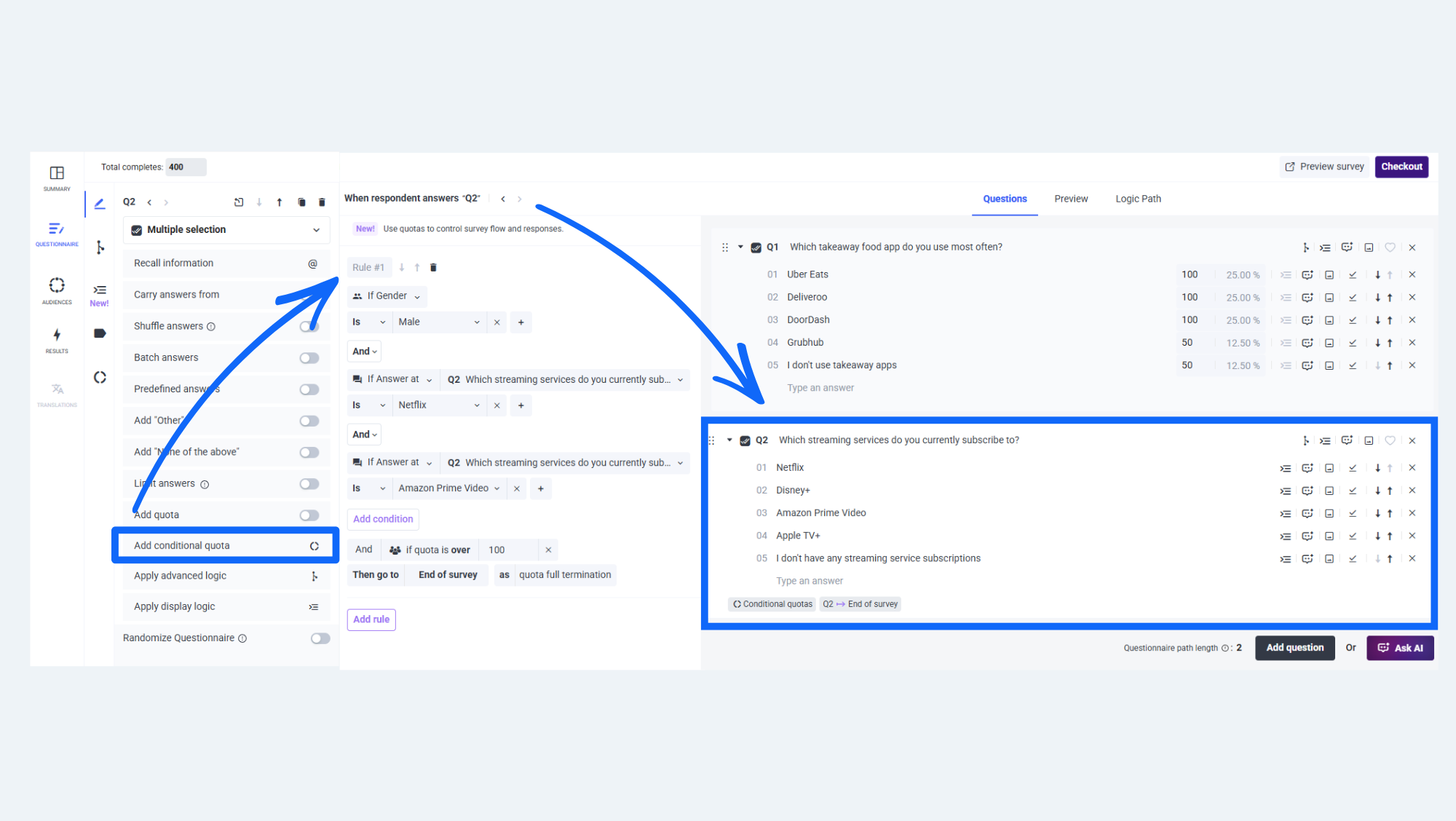
- Open a supported question type
- Click Add Conditional Quota from the left hand sub-menu
- Select your quota condition rules from Answers and/or Audience criteria
- Add your quota limit
Example 1: Streaming Service Research
Imagine you’re researching streaming subscription habits and want to collect a very specific audience segment.
-
You ask:
Which streaming services do you currently subscribe to?
- Netflix
- Disney+
- Amazon Prime Video
- Apple TV+
- I don’t have any streaming service subscriptions
You then create a conditional quota rule:
- Gender = Male
- AND selected Netflix
- AND selected Amazon Prime Video
Quota target:
- 100 respondents
Once 100 respondents match all conditions:
- Additional matching respondents are automatically disqualified as Answers Overquota
- The rest of the survey can continue collecting normally
This allows researchers to control exactly which audience combinations are included in their study without manually reviewing responses.
Example 2: Brand + Demographic Conditions
You want:
- 75 male respondents aged 18–34 who use both Uber Eats and Deliveroo
Quota rule:
- Uses Uber Eats
- AND Uses Deliveroo
- AND Gender = Male
- AND Age = 18–34
This allows researchers to control exactly which audience combinations are included in their study.
Example 3: Concept Testing with Experimental Conditions
Imagine you’re running an A/B concept test.
You want:
- 50 respondents who:
- Prefer oat milk
- AND saw Concept B
- AND live in California
Conditional quotas allow researchers to manage these highly specific combinations automatically.
When Should You Use Advanced Quotas?
Advanced Conditional Quotas are especially useful for:
Concept Testing
Balance audiences across test conditions.
Brand Comparisons
Ensure equal representation across competitors.
Customer Segmentation
Control quotas across multiple demographic and behavioral variables.
Product Usage Studies
Balance responses between light users, heavy users, and non-users.
Automatic Pause & Review Protection
One challenge with quotas, especially on multiple-selection questions, is that a single respondent may count toward multiple answer quotas simultaneously.
This can cause certain quota groups to fill faster than expected before the survey reaches its required completes.
For example:
- One answer quota becomes full
- But the overall survey still hasn’t reached required completes
To help prevent incomplete studies, Pollfish includes a Pause Due to Quotas protection system.
If quota limits prevent the survey from reaching its required completes:
- The survey may automatically pause with a “Paused due to quotas” status
- Researchers receive a notification email
- The email highlights which quota or rule requires attention
Researchers can then:
- Adjust quota targets
- Increase remaining allocation
- Resume data collection
This helps protect survey quality and completion goals.
Editing Quotas Mid-Study
Pollfish also tracks:
- Existing responses
- Filled quota counts
- Remaining allocation per answer
Researchers can adjust quotas during fieldwork without rebuilding the survey.
This is particularly helpful when:
- Audience incidence differs from expectations
- Certain groups fill faster than anticipated
- Additional balancing is needed
Results & Reporting
Answer Quota disqualifications are visible throughout Pollfish reporting.
Researchers can monitor:
- Overquota disqualifications
- Rule-level performance
- Quota fulfillment progress
- Screening metrics
These outcomes are also included in:
- Results dashboards
- Screenout exports
- Survey summaries
This makes it easier to analyze:
- Which audience groups filled fastest
- Where balancing challenges occurred
- How quota rules impacted collection
Best Practices for Answer Quotas
Avoid Overly Restrictive Rules
Very narrow quota combinations can slow collection significantly.
Try balancing precision with realistic incidence rates.
Monitor Early Performance
Check quota fill rates early during fieldwork to avoid unnecessary pauses.
Use Advanced Quotas Strategically
Not every study requires complex conditional logic.
Simple quotas are often sufficient for:
- Brand balancing
- Audience splits
- Basic segmentation
Use advanced rules when multiple conditions truly matter.
Keep Quotas Early in the Survey
Pollfish currently supports Answer Quotas up to Question 8.
Earlier qualification logic generally improves respondent experience and collection efficiency.
Final Thoughts
Questionnaire Answer Quotas give researchers far greater control over survey composition and sample balancing.
Simple quotas make it easy to structure datasets quickly.
Advanced Conditional Quotas unlock sophisticated audience management for more complex research designs.
Whether you’re balancing brand users, managing concept exposure, or building highly segmented studies, Answer Quotas help ensure your final dataset is more reliable, comparable, and research-ready.
Ready to build more balanced surveys?
